Clock in with a QR code at the shop
Staff scan the QR code at the shop with their phone. A clock-in that does not match the shift goes to a manager to review.
How it works
From the scan to the timesheet
No clocking machine and no paper sheet by the door.
Scan at the shop
Staff clock in by scanning the QR code at the shop with their own phone.
Checked against the shift
The clock-in is compared with the shift on the rota. A difference goes to a manager to review.
A short list for the manager
The manager looks at the clock-ins that did not match, not at a whole week.
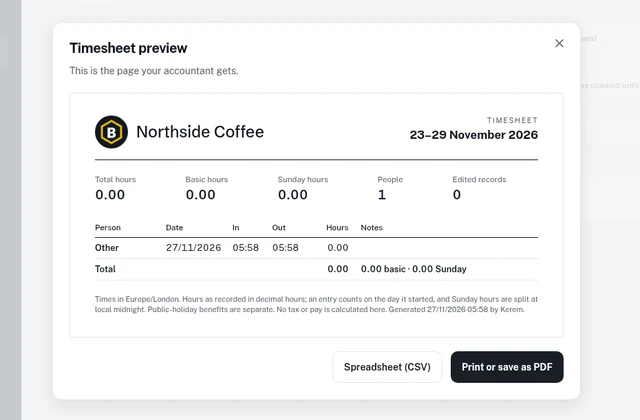
Hours by week or month
See hours by week or month, with a clean timesheet for your accountant.
Around it
The rest of the working week
The rota they clock in against
Plan the week, then send each person their shifts by email and to their calendar. With the Android app they also get a notification when the rota is published.
Holiday in the same place
Requests are approved or declined in one place. In Ireland, annual leave and public holiday benefits are worked out for you; in the UK you record each person’s allowance.
Hours next to sales
Reports, By person shows each person’s sales, average sale and hours worked.
Read next
More on your team
Questions we get asked
How do staff clock in?
They scan the QR code at the shop with their phone. If a clock-in doesn't match the shift, it goes to a manager to review.
Do I need a clocking machine?
No. Staff use their own phone and the QR code at the shop.
Can I give my accountant the hours?
Yes. See hours by week or month and export a clean timesheet for your accountant.
Do I have to use the till as well?
No. Choose what your business uses at setup. A crew or a workshop can start with just the team tools and turn the till on later.
Something else? Every question is answered in Help.
30 days freeNo credit card
Start free